Lifter Elements 1.7.0 adds a LifterLMS Groups integration: five widgets, fourteen dynamic tags and four conditional-logic conditions for building group pages in Elementor. The Course Access Plans and Access Plan Button widgets also learn about group enrolment, and group pages become a Theme Builder location.
Everything here only appears when the LifterLMS Groups add-on is installed and active. Without it, Lifter Elements works as before.
Five widgets for group pages
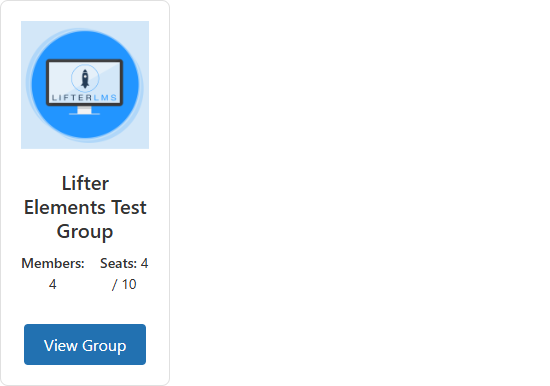
Groups List is a directory grid of groups, with visibility and enrolment filters. Its Enrolled only filter lists the groups the current user belongs to, which is the “my groups” view without needing a separate widget.
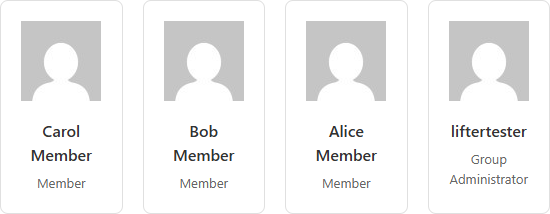
Group Members is a member grid with avatar, name and role, for the group page itself.
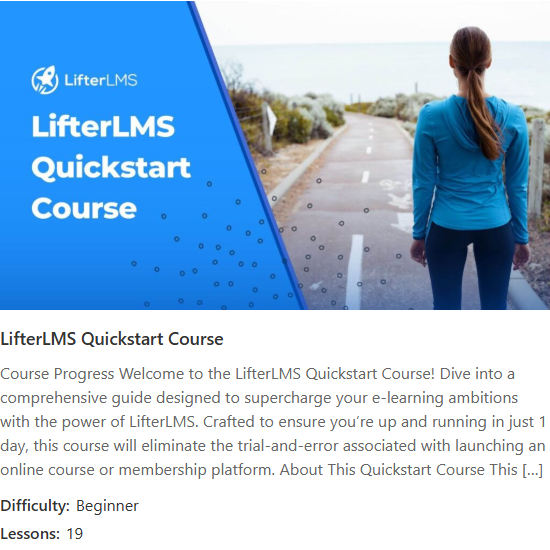
Group Page Course Card shows the course or membership the group is for, and works out which of the two it is on its own.
Group Invitation Link is a button linking to the group’s open invitation URL, the Join Group button for a page you share. Leave Group is a confirmation form that lets a member unenrol themselves.
Fourteen dynamic tags
The tags put group data into any Elementor widget that accepts dynamic content: Group Name, Group Description, Group Visibility, Group Member Count, Group Seats, Group Pending Invitations Count, Group URL, Group Logo, Group Banner, Group Invitation Link, Group Course Title, Group Course URL, Group Course Image and Current User Group Role. A heading bound to Group Name and an image bound to Group Banner are the usual starting point for a group page header.
Four conditions
Conditional logic gains User Group Enrollment, User Group Role, Group Visibility and Group Seat Availability, so a section can show only to group members, only to the group’s leader or admin, only when the group is open, or only while seats remain.
Group enrolment on access plans
When an access plan has LifterLMS’s Group enrolment option enabled, the Course Access Plans and Access Plan Button widgets now show a seat-count selector before the enrol button, so a buyer can choose how many seats to purchase.
Group pages in the Theme Builder
The LifterLMS group post type is now a Theme Builder location, so you can build one template that applies to every group page, the same way you build course and lesson templates.
Full changelog
1.7.0
Release Date: 2026-04-29
- New integration: LifterLMS Groups
- Widget: Group Members
- Widget: Group Page Course Card
- Widget: Groups List
- Widget: Group Invitation Link
- Widget: Leave Group
- Dynamic Tag: Group Banner
- Dynamic Tag: Group Course Image
- Dynamic Tag: Group Course Title
- Dynamic Tag: Group Course URL
- Dynamic Tag: Group Description
- Dynamic Tag: Group Invitation Link
- Dynamic Tag: Group Logo
- Dynamic Tag: Group Member Count
- Dynamic Tag: Group Name
- Dynamic Tag: Group Pending Invitations Count
- Dynamic Tag: Group Seats
- Dynamic Tag: Group URL
- Dynamic Tag: Group Visibility
- Dynamic Tag: Current User Group Role
- Condition: User group role
- Condition: User group enrollment
- Condition: Group visibility
- Condition: Group seat availability
The widgets, tags and conditions are documented under Groups in the Lifter Elements docs. If you are building your first group pages and something is missing, get in touch with support and tell us what you need.
