Beaver Profile Builder 0.0.10 adds a new module: Profile Delete Form. It puts a delete-account button on any page you build with Beaver Builder, so your users can close their account without contacting you.
How it works
The module shows a button to the logged-in user. Clicking it opens a confirmation popup, so nobody deletes their account by accident. If the user confirms, their account is deleted and the popup tells them it’s done.
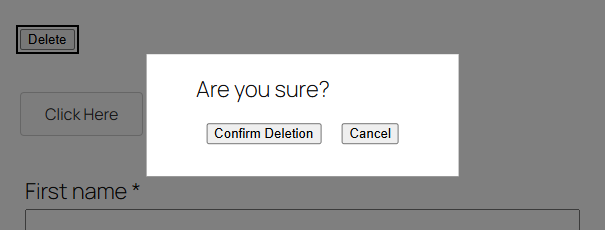
You can change every piece of text: the button, the confirmation message, the confirm and cancel buttons, and the button shown after deletion. You also choose what happens afterwards:
- None: the user sees the completion message only.
- Button: the popup shows a button that takes the user to a page you pick.
- Redirection: the user is sent straight to your home page or any page you pick, such as a goodbye page.
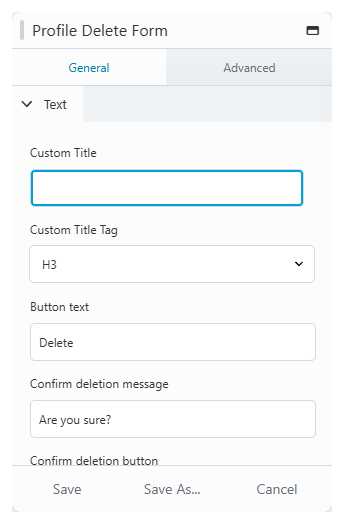
Deleting an account removes the user. Their posts aren’t reassigned to someone else, so think about that before you add the button to a site where users publish content. The Let users delete their account guide covers setup.
Full changelog
0.0.10
Release Date: 2020-01-29
- Add delete button module
Questions about the update? Get in touch with support.
