Beaver Profile Builder 1.0.0 is the first release in a while, and it does two things. The Avatar Edit module is part of the plugin again, so your users can upload, crop and save their own profile picture from the front end. And the plugin now checks for updates and activates its license through Tangible Cloud.
First, the practical bit
Your license key is on the Licensing page in Tangible Cloud: sign in, click Licensing in the left navigation, find Beaver Profile Builder and copy the key. In your WordPress admin the key goes under Settings > Beaver Profile Builder, on the License tab. Once the license shows as active, updates arrive through Dashboard > Updates like any other plugin.
Downloads are on the Downloads page of the same platform. That’s where to get the zip if you install by upload, or if you need a fresh copy for a new site. The step-by-step version is in the docs: Installing Beaver Profile Builder and License Activation.
Beaver Profile Builder needs Beaver Builder. Avatar Edit also needs the free Simple Local Avatars plugin.
Avatar Edit
Avatar Edit puts a profile picture control anywhere you can place a Beaver Builder module. You choose what the user clicks to open it: their current avatar, an icon, some text, a button, or a combination. Clicking it opens a popup in three steps:
- Upload an image.
- Crop it to the avatar shape.
- Optionally rate the image on the standard avatar scale (G, PG, R, X), check the result and save.
The picture is saved to the user’s profile through Simple Local Avatars, so it shows up wherever WordPress displays their avatar.
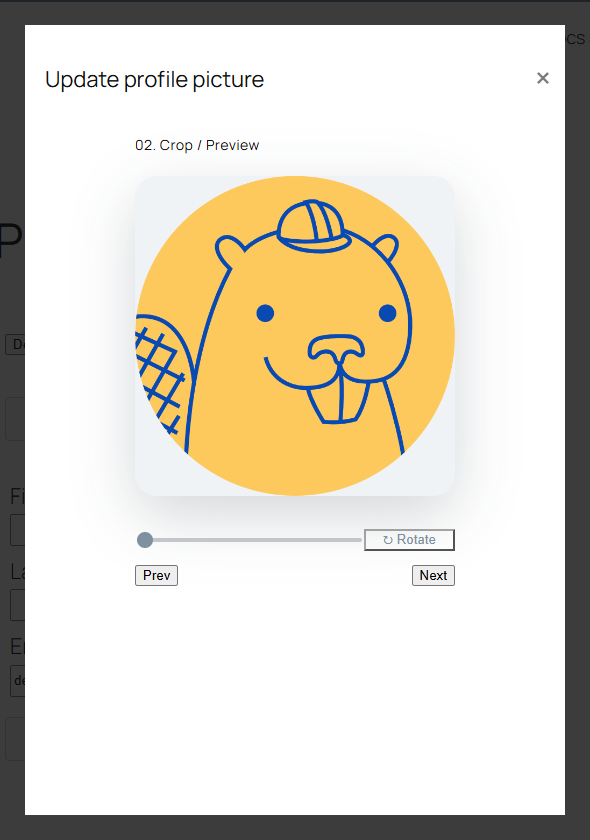
The module’s settings cover the trigger, each popup screen’s text, and the styling of the popup and its buttons.
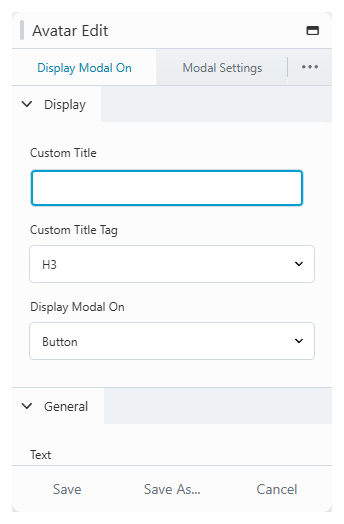
The module appears in the Beaver Profile Builder group in the module panel once Simple Local Avatars is active. The Avatar Edit docs walk through setting it up.
Also in this release
A PHP 8 deprecation in the helper that builds the profile form’s fields is fixed.
Full changelog
1.0.0
Release Date: 2026-07-08
- Restore Avatar Edit module
- Point updater and license activation at the Tangible platform (api.tangible.one)
- Fix PHP 8 deprecation in profile form field helper
Questions about the update? Get in touch with support.
